


AI builds the schedule. Your team gets a text. No app required.
Describe your week and Timely builds the full schedule in seconds — then notifies
every employee by text. Overtime is flagged before it hits payroll. Zero app downloads.
Used by 500+ shift-based businesses. No credit card required to start.
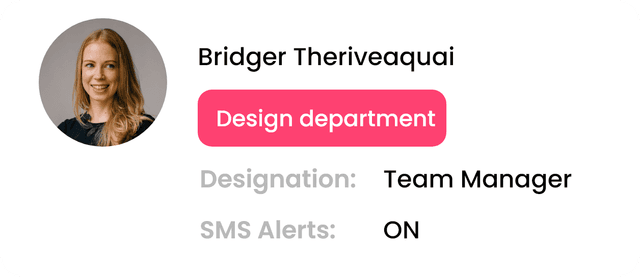


Your employees already have a phone.That's all they need — Timely handles the schedule, the notifications, and the overtime warnings automatically.
Here's how it works:



Reduce no-shows by up to 40%
Employees receive automatic SMS reminders before every shift — 15 minutes, 30 minutes, or 1 hour ahead, you choose. They can also text back to request time off in plain English. No app, no portal, just a reply.
Your team shows up prepared — and you hear about problems before the shift, not during.
Get back to running your business
Managers spend an average of 8 hours a week on scheduling. Timely's AI cuts that to under 45 minutes — and the payroll preview shows live labor cost and overtime as you build, so there are no Friday surprises.Build the schedule, catch overtime, sync hours to payroll — all from one place, so you can focus on what actually grows revenue.


Everything you need
SMS-first scheduling, live overtime detection, and payroll sync
— one platform.

No app for your team
Employees get their schedule by text message — nothing to download, nothing to install. SMS open rates are ~98%. Your team can't say "I didn't see it."

AI-powered scheduling
Describe your week in plain English and Timely generates a full schedule — respecting availability, roles, and your custom rules. Fine-tune anything with drag and drop.

Schedule rules you can enforce
Set max hours, required rest between shifts, minimum staffing, or "always have a keyholder on" — Timely warns or blocks the save before a bad shift ever gets published.

Time off, handled by text
Employees text "Need Friday off" or "Can't work Saturday" in plain English. Timely parses the request, flags conflicts, and puts it in front of you for a one-tap approve or deny.

Clock in from a text or a kiosk
Employees tap the link in their shift-reminder text to punch in with GPS confirmation, or use a shared kiosk with a 4-digit PIN. Late or out-of-radius punches flag automatically for review.

Timesheets that reconcile themselves
Every punch lands pre-matched to its scheduled shift. Approve in bulk, edit with a full audit trail, and export straight to payroll — no manual reconciliation.

Automatic SMS reminders
Employees get a text before every shift. Configurable lead times. Late arrivals and no-shows drop dramatically.

Live OT & labor cost
The payroll preview updates in real time as you build — regular hours, overtime, and estimated gross wages. Catch OT on Wednesday, not Friday when payroll is already locked.

Payroll & POS integrations
Connects directly with Square, Gusto, and QuickBooks. Employee rosters sync in, hours push out — no re-entry, no spreadsheet handoffs between scheduling and payroll.
What would you pay with per-user pricing?
Set your team size below. Timely charges one flat monthly fee per tier — most competitors charge $4–6 per user, per month. The difference adds up fast.
That's 45 total team members across 3 locations.
Up to 5 locations, unlimited AI, integrations + job tracking included.
per location
per user
per user
Timely prices shown are annual billing rates (monthly billing is ~20% higher). Competitor pricing reflects mid-tier monthly list prices as of May 2026. Per-user rates: When I Work $4/user, Deputy $4.5/user, Sling $2/user. Homebase Plus $48/location. Annual contracts and volume deals can adjust competitor pricing 10–30%.
Every plan, in detail
One flat monthly price per tier — no per-user fees, ever.
Start on Free forever, upgrade when you're ready. No contracts, no hidden fees, no surprise scaling charges as your team grows. Every paid plan includes SMS, unlimited AI scheduling, and integrations.
Free
Build and share a schedule. No card. No trial clock. Yours forever.
1 location · Up to 5 employees
- Unlimited schedule creation
- Up to 5 employees
- 1 location
- One-click publish (email & PDF)
- Smart Copy (copy last week)
- Schedule templates
- Conflict & overtime detection
- Community support
- SMS shift notifications
- Clock-in / clock-out & timesheets
- Team invites & roles
- Integrations (Square / QB / Gusto)
Starter
One location, SMS turned on, everything you need to actually run a team.
1 location · Up to 50 employees
- Everything in Free
- Up to 50 employees
- SMS shift notifications
- SMS-link clock-in (GPS verified) + kiosk PIN mode
- Timesheets — review, edit, approve, CSV export
- Actual Time analytics — clocked hours, approval rates, date-range trends
- Google Calendar sync
- CSV import & export
- Employee tagging & filtering
- Chat support
Pro
Up to 5 locations, unlimited AI, integrations, and job tracking — one flat price.
Up to 5 locations · Up to 100 employees per location
- Everything in Starter
- Up to 5 locations
- Up to 100 employees per location
- Unlimited AI scheduling
- Square, Gusto & QuickBooks integrations
- Job codes & customer / project tracking
- Job-coding analytics — hours by project, client, or custom field
- Schedule rules engine
- Team invites & role management
- Team availability & time-off requests
- Custom notification templates
- Priority email + chat support
Business
Multi-location ops, payroll sync, and full labor analytics.
Up to 20 locations · Up to 125 employees per location
- Everything in Pro
- Up to 20 locations
- Up to 125 employees per location
- Schedule & labor analytics (trends, coverage, actual vs. scheduled, costs)
- Multi-location reporting
- Manager permission controls
- Dedicated account manager
Business+
Built for 20+ locations or 1,000+ staff. Still flat-priced, still no per-user fees.
Up to 40 locations · Up to 250 employees per location
- Everything in Business
- Up to 40 locations
- Up to 250 employees per location
- Priority phone support
- Quarterly ops review
- Bulk import services
- Custom onboarding session
Enterprise
Custom contracts for large, complex organizations.
Unlimited locations · Unlimited employees
- Everything in Business+
- SSO / SAML authentication
- Audit log & compliance reports
- REST API access
- Custom SLA & uptime guarantee
- Dedicated CSM & onboarding
- Custom integrations
- Volume pricing
Free forever for solos and 5-person teams. Paid plans have no credit card required to start. Annual plans are billed as a single payment.
Ready to take scheduling
off your plate?
Tell us about your team and we'll show you how Timely can save you hours every week. Response time: under 2 hours.
Got questions? We've got answers.
Everything you need to know before getting started. Can't find your answer? Reach outand we'll respond within 2 hours.
1)How quickly can I get started?
2)How many employees can I schedule?
3)How does AI scheduling work?
4)What makes Timely different from tools like Homebase or When I Work?
5)Do my employees need to download an app?
6)Can I integrate Timely with my existing tools?
7)Is my data secure?
8)Can I change or cancel my plan?